Friday, 10 January 2014

My Digipak

This is my finished Digipak all put together. As you can see I have the front cover on the bottom right, back cover on the bottom left and the two inside pages on the top. I created all of this in Indesign and Photoshop. I created all 4 covers as a separate file. All of the photos are of me dancing, this fits in with the theme of my music video. I also chose to have 3 colours in my colour scheme. Black, white and blue. On the back cover there is a list of the songs in the album, and on the front is the artist and the album name. I think that this has worked out very well as it fits with my music video and my advert. I think that it all fits together well and flows as a cover. 


This is a brake down of all of the sections.

My Music Video Advert

As you can see I have tried to make my post as much like my firsts draft. I used many things to create the final product. Photoshop and Indesign are the two main things that I use. First I started by taking the basic images. By putting them into photoshop I was able to get rid of any impurities in the background. I was also able to move parts in the photo. For example my position in this photo is not where i was originally standing when the photo was taken. When putting it in Indesign i was able to add things such as the logo, recording label and all the other parts on the Advert. All of these were edited in Photoshop as well. I think that this has turned out very well. The lighting is good, it is a simple picture, well positioned and has all the information needed. If I was to do this again I would take a lot more photos so that I have a lot more range to choose from. 

Saturday, 26 October 2013

First draft


This is a first go at our music video. We have filmed all of the middle part of the video. The ending and the beginning are yet to be filmed. 

There is a lot more we need to do but the footage we have at the moment is good. There is a lot there for this part and I think we need to re shoot part and cut a lot of it out as we wont have enough time for the rest of the scenes. 

Friday, 18 October 2013

Animatic

 
This is my animatic. I have made this so that I can see my music video and how it should look at the end of all my filming. By making this is has helped me improve my I movie skills, this is something I need to make my final video. By making this I can tell where I need to add more shots, where I need to cut things out and where I need to change things around. I am using this a first draft of my video. It is a good thing to create because I can really understand how i'm going to create my video.

Monday, 7 October 2013

Digital Pack Analysis


This is a god digital pack to have looked at. It has given me ideas in to how I want my digital pack to look like. I have decided that I am going to do a 2 part pack as it would be easier to take the pictures and write in information. By looking at this I have decided that I will put my track list on the back of the pack and only have a small bit of writing in the front. I chose to include less writing because I feel that people buy the pack for the music and don't take time to read the writing on the pack. 


This is another example of a digital pack. As you can see it is similar to the one above apart from the fact it has 2 CDs in it. All the information is in the same place. This is why I want to keep the layout the same just reduce the text and pictures. I think that this layout works very well and is easy to produce. 


Friday, 4 October 2013

Digital Packs


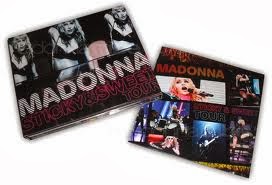
These are both examples of what a digital pack is. As you can see it is a 3 part CD case with a CD and other various information about the CD. They usually have the picture of the album on the front cover then have other photos on the inside that are related to the artist or the album. Digital packs are not used to much now days as most people download music onto their phones from the internet. But when they are bought people expect to see a list of the songs on the album and sometimes lyrics of the songs are included. 

In my digital pack I want to show a range of photos of my actress/principle dancer (Lauren Hampton) on the inside so that the buyers will be interested as to what the video is like. Rudimental not not normally related to dance so it will get people thinking. On the front cover I want a picture of Lauren spinning but the picture blurred. This sounds messy but when it is finished I hope to have a clear image of Lauren's face but the rest of her body as if she is spinning. It will be hard to create so my other idea I have in mind is having a picture of Lauren sat in the dance studio with her pointe shoes. This is a simple image but will show what the music video is about. This image will be a lot easier to create. I will take all of the photos when I am shooting my footage.