Saturday, 26 October 2013

First draft


This is a first go at our music video. We have filmed all of the middle part of the video. The ending and the beginning are yet to be filmed. 

There is a lot more we need to do but the footage we have at the moment is good. There is a lot there for this part and I think we need to re shoot part and cut a lot of it out as we wont have enough time for the rest of the scenes. 

Friday, 18 October 2013

Animatic

 
This is my animatic. I have made this so that I can see my music video and how it should look at the end of all my filming. By making this is has helped me improve my I movie skills, this is something I need to make my final video. By making this I can tell where I need to add more shots, where I need to cut things out and where I need to change things around. I am using this a first draft of my video. It is a good thing to create because I can really understand how i'm going to create my video.

Monday, 7 October 2013

Digital Pack Analysis


This is a god digital pack to have looked at. It has given me ideas in to how I want my digital pack to look like. I have decided that I am going to do a 2 part pack as it would be easier to take the pictures and write in information. By looking at this I have decided that I will put my track list on the back of the pack and only have a small bit of writing in the front. I chose to include less writing because I feel that people buy the pack for the music and don't take time to read the writing on the pack. 


This is another example of a digital pack. As you can see it is similar to the one above apart from the fact it has 2 CDs in it. All the information is in the same place. This is why I want to keep the layout the same just reduce the text and pictures. I think that this layout works very well and is easy to produce. 


Friday, 4 October 2013

Digital Packs


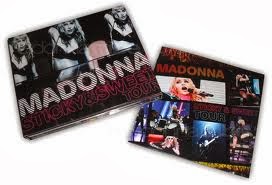
These are both examples of what a digital pack is. As you can see it is a 3 part CD case with a CD and other various information about the CD. They usually have the picture of the album on the front cover then have other photos on the inside that are related to the artist or the album. Digital packs are not used to much now days as most people download music onto their phones from the internet. But when they are bought people expect to see a list of the songs on the album and sometimes lyrics of the songs are included. 

In my digital pack I want to show a range of photos of my actress/principle dancer (Lauren Hampton) on the inside so that the buyers will be interested as to what the video is like. Rudimental not not normally related to dance so it will get people thinking. On the front cover I want a picture of Lauren spinning but the picture blurred. This sounds messy but when it is finished I hope to have a clear image of Lauren's face but the rest of her body as if she is spinning. It will be hard to create so my other idea I have in mind is having a picture of Lauren sat in the dance studio with her pointe shoes. This is a simple image but will show what the music video is about. This image will be a lot easier to create. I will take all of the photos when I am shooting my footage.   

Thursday, 3 October 2013

Actors

Sophie Osborne (left)
Louis Leighton (middle)
Emily Knight (right)
 
These are my chosen actors for the part of the judges. I have chosen these people to act in my music video as I feel they fit the description of what I wanted, they are reliable, and easy people to work with. I chose to have 2 girls and a boy because I think that there would be more females at a dance school than males. All of these will be in the first and last scenes. They are a key part of the music video as it helps explain what is going on.  
Lauren Hampton
 
I have chosen Lauren to be my principle dancer. She was a lot of experience in the dance industry and fits my idea of the dancer perfectly. I have watched her dance and seen that she can perform the movements that I have choreographed. I believe that Lauren is a easy person to work with and she is easy to direct, this means that I could change parts of the choreography and she could pick it up easily. 

Thursday, 26 September 2013

Planning Advert

This is a draft of what we want our advert to look like.
We created this in InDesign. We wanted to create a simple but interesting advert for a magazine. Our choice of picture is logical as our music video is about a dancer and her story. We have also taken the 'Rudimental' logo as this is what is on all of their tracks. I imported the logo into Photoshop as I wanted to make the background transparent. This was a difficult task as I wasn't sure on where to start, but when I managed to do it I was glad because it really makes the logo fit well into the advert. The colours used was also another key point to think about. I wanted to keep it simple so black was the best choice. It also fits with the dancers costume, this is something that in our real advert I need to make sure I do as it gives that professional effect and makes it look as if it all fits together. To make the advert look less like just a picture and logo I added the recording producers logo so that it looks more legitimate. I changed to colour of that so that it fit in with the colour scheme. Over all this is what I want the advert to look like when I have the photos of my dancer. A few problems that I may face is getting the same finish. This is taken by a professional photographer and is very well lit. To try and overcome this problem I have chosen to take my pictures in a black studio so that I can light it well.